OxiNMP
A visualiser of your voice and a game where you can also use your voice as a controller
Author: Khalghamouz Ali-Nicolas
GitHub Project Link: https://github.com/UPB-PMRust-Students/fils-project-2026-K-Nicolas-10
Description
My project's purpose is to use my voice to control different stuff. My first Idea was a waveform analyzer, but then as I procrastinated (like everyone, on short-form content) I came across another one of those type of filter-game videos( the one with flappy birds controlled by your voice), so.... another state to my loop was added: FlappyApp!
Motivation
Choosing this project was because of a mix of my interest in mathematics, signals and wanting to learn DMA (used for audio input/output and SPI, leaving the processor more power to render the states of the display) more in-depth.
Architecture
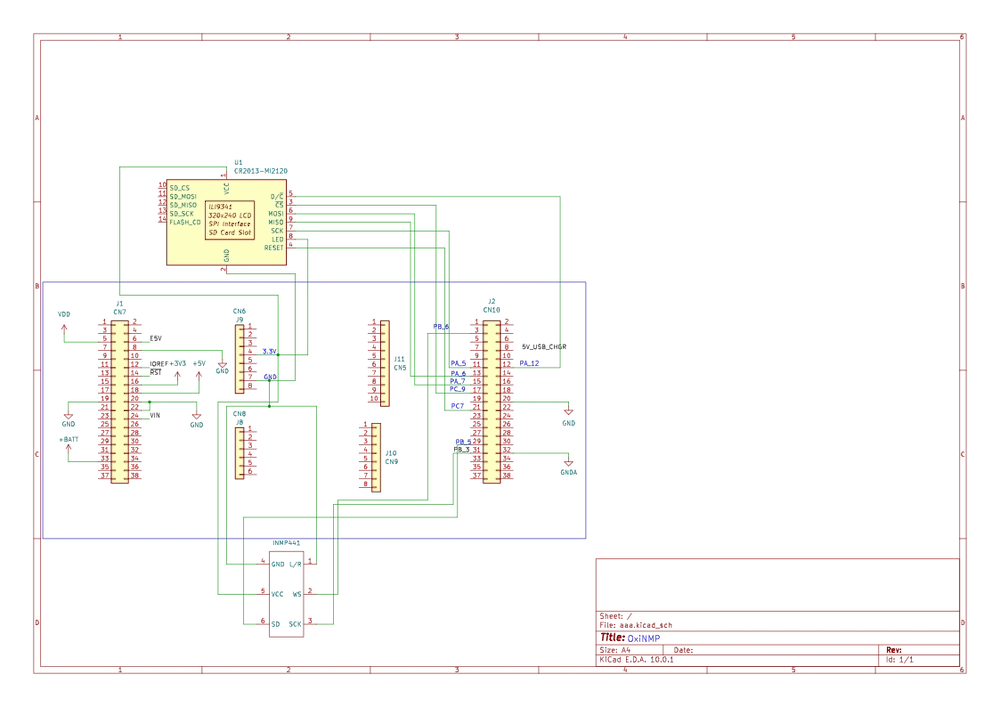
- INMP441 Module: It sends clean digital audio arryas straight to the STM32 via I2S
- STM32U545REQ: Provides the User Button, computing power, and a (quite helpful for my waveform analyzer) FPU for my project.
- SPI TFT LCD Display: Chose an SPI screen over a I2C screen because it handles video better than I2C. I2C is too slow for smooth video.

Log
The 3 Week Sprint (week 12,13,14)
Disclaimer: This project was partailly changed as you probably saw (previously, a DSP and sound visualiser) because of my AMAZING soldering skills and AMAZING electronics knowledge (I burnt my first DAC and couldn't get the 2nd one to work properly...) I suspected many things, including low impedance headphones, but none of my fixes quite worked and reached a good conclusion. So I did what an engineer would and found another way to use the components I already had in Week 2
Week I
This week was a week of just learning stuff, understanding and, well headaches with the clock tree diagram from the official stm datasheet... I needed to understand the MSIS and Master Clock and PLL math so I can run my board at 160Mhz for the purpose of running the Screen at a smoother 20Mhz. I configured the PLL by the end of the week, set up the Mic and read a lot about buffers (ring buffers, DMA)
Week II
Week 2 I thought about my project (this was the week where I realised I couldn't possibly get my DAC work and I tried a lot of DMA fixes and everything I could find online...) After pivoting to this Visualiser and Game Idea I mapped out a state machine and how the display would work and the game logic for optimizing SPI so It doesn't run at 2 frames per second. I thought about how the pipes of the game would appear/dissapear so I don't update the display at every game event(moving forward, pipes appearing on-screen, dying, etc)
Week III
Final week(this was a packed week): Added DC Cut Off filter. Layered out my files and directories to be easy to access and read. Soldered everything together on a perfboard again and actually got better audio. Added game logic and Visualiser logic (optimized for the SPI display). Final polishes and good luck to me!
Hardware
Microcontroller: STM32U545RE Nucleo (Core logic + User Button)
Input: INMP441 I2S Microphone (Captures audio)
Display: SPI TFT LCD (Shows States: Menu -> Flappy -> Visualiser)
First Iteration (MVP):
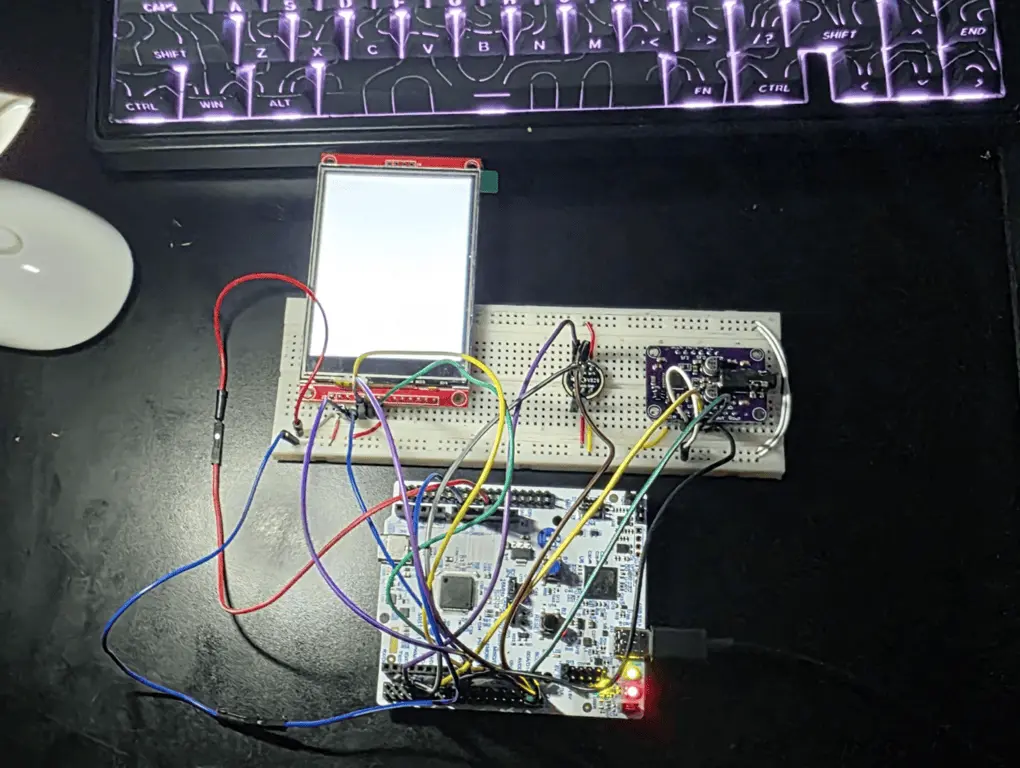
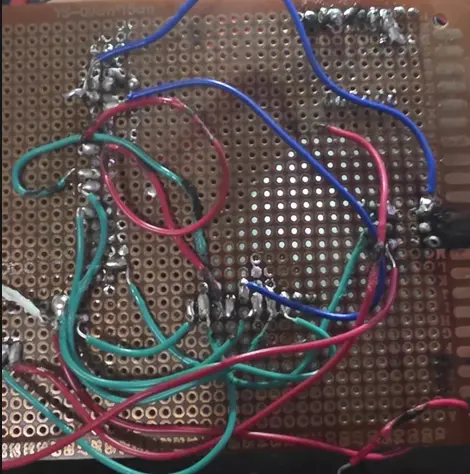
My amazing Soldering Skills(failed attempt):
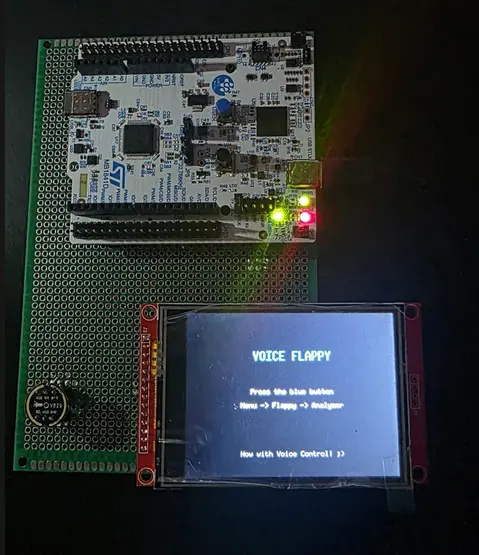
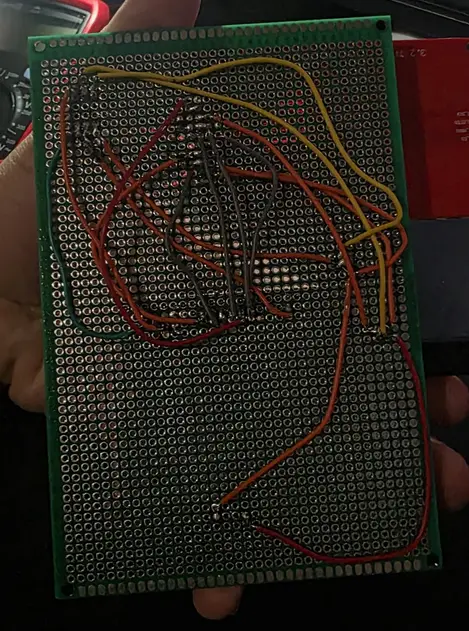
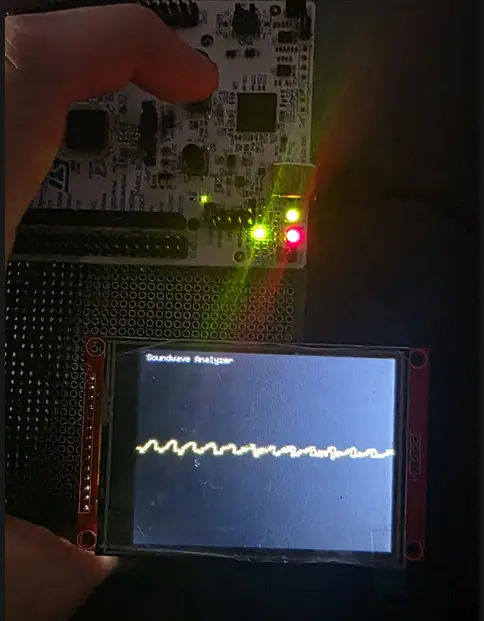
My final iteration of this project's hardware
I used a star point for 3V3 and GND. I tried keeping wires as short as possible (4-10cm) because of the SPI and I2S connection as these can be really skewed from the electromagnetic fields generated by the current (wires act as antennas). I could have also soldered a capacitor between 3V3 and GND but didn't have any at my disposal and the electrical noise was quite manageable, so I was satisfied.
Schematics
Bill of Materials
| Device | Usage | Price |
|---|---|---|
| STM32 Nucleo-U545RE | The microcontroller | Borrowed |
| INMP441 I2S Microphone | Captures ambient audio digitally via I2S, bypassing analog ADC noise. | 21 RON |
| ILI9341 3.2" TFT LCD Touchscreen | Displays UI, audio visualizations, and status information; touch input via SPI. | 84 RON |
| Starting Electronics Kit | Contains Miscellaneous components like resistors,breadboard,etc | 51 RON |
Software
| Library | Description | Usage |
|---|---|---|
| embassy-stm32 | Hardware Abstraction Layer (HAL) for STM32 microcontrollers | Async Embassy framework for STM32 peripherals |
| embassy-executor | Lightweight no_std async executor | Task scheduling and execution on embedded systems |
| embassy-sync | Synchronization primitives for Embassy | Signals, channels, and mutexes between async tasks |
| embassy-time | Timekeeping and timer utilities | Delays, timeouts, and periodic timers |
| embassy-futures | Future extensions and utilities | Combining and managing async futures |
| embassy-embedded-hal | Bridge between Embassy and embedded-hal traits | Compatibility with standard embedded-hal drivers |
| embedded-graphics | 2D graphics library for embedded systems | Drawing primitives, text, and shapes on displays |
| mipidsi | Display driver framework for MIPI DSI/SPI displays | Driving the ILI9341 screen |
| heapless | Stack-allocated data structures | Strings and Vecs without dynamic memory allocation |
| defmt & defmt-rtt | Efficient deferred formatting framework | Logging over RTT during development |
| cortex-m & cortex-m-rt | Low-level Cortex-M hardware access and startup runtime | Core ARM peripheral access and boot initialization |
| panic-probe | Panic handler for defmt and probe-run | Printing panic messages and exiting cleanly |
| static_cell | Safe lock-free static variable initialization | Initializing DMA buffers and drivers as statics |
| embedded-hal-bus | Utilities for sharing SPI/I2C buses | Safely sharing buses among multiple devices |
| cortex-m-semihosting | Semihosting support for Cortex-M | Debug I/O via the debug probe connection |
Links
- The best channel ever
- The I2S implementation that made me understand
- Embassy-rs Official Book
- STM32 NUCLEO-U545RE Board Documentation
- INMP441 I2S Digital Microphone Official Datasheet
- Adafruit UDA1334A I2S DAC Guide
- embedded-graphics Rust Crate Documentation
- mipidsi Rust Crate Documentation
- STM32U5 Series Reference Manual